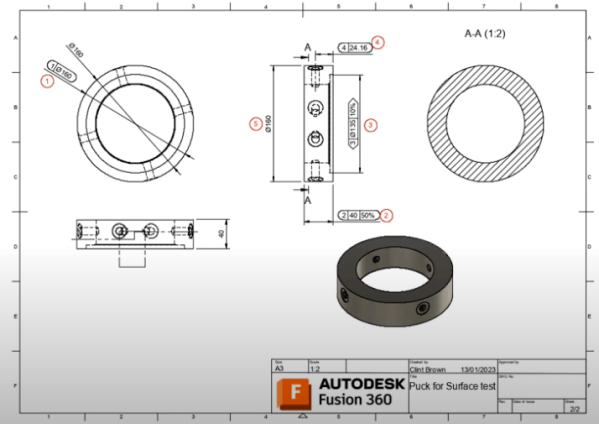
I recently replied to a forum past asking if it is possible to add a watermark of a company logo, to a drawing in Autodesk Fusion. This is my workflow, the secret sauce, is to add it to the border. https://youtu.be/YIMHht7izog
Copy Tolerances – Full Section Lines – T&S

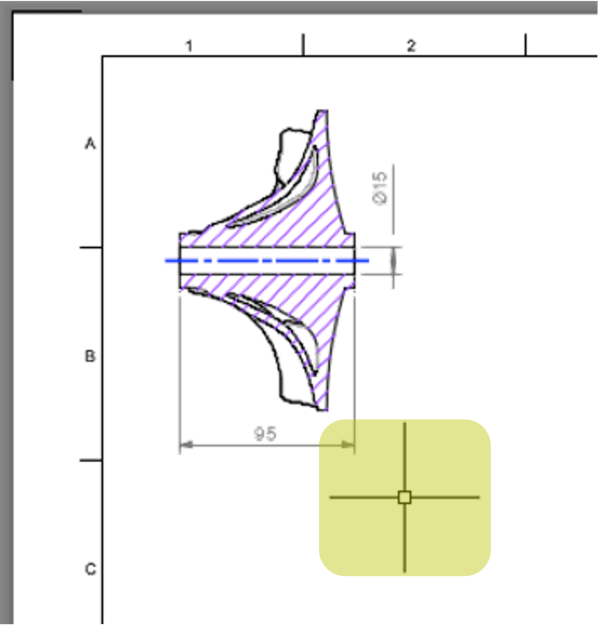
May Release = big love for Autodesk Fusion Drawings. We now let you copy tolerance information from 1 dimension to many We've added better support for Section line types in ISO templates (great for DIN/JIS/BS users) and an update to taper and Slope Symbols. Until now, it's been a lot of work to add tolerance... Continue Reading →
Autodesk Fusion: Drawing References
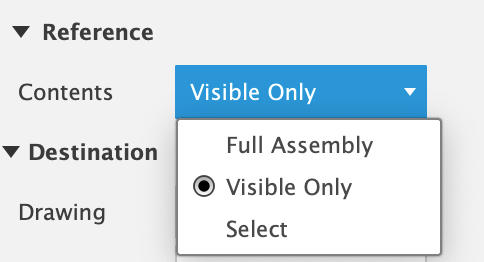
I've seen a couple of questions about only showing visible components from a model in a drawing. So here we go! This is a 2 part-er, as the first part is creating the selection set for the drawing, the second is all about re-using the initial reference. https://youtu.be/4CX6RidUya0 Remember to select the Contents of model... Continue Reading →
Fusion Drawing Automation Template Options
Fusion uses 3 options for templates when creating drawing Automations. From Scratch Uses Autodesk defaults. This is the workflow built to let you test drawing automation without any setup. Drawing Template - Preferred workflow Honors the settings in Template’s Document Settings. Create a template and save your settings in the template. Stores your automation settings,... Continue Reading →
Changing Mass Units on a Drawing – Autodesk Fusion
Another forum question which I answered, and thought I'd share here: "How do I change the unit of mass from grams to kgs in drawings" There are 3 options: Easiest is to set the units at the document level: The 2nd option is to change just the title block: 3rd you can just override the... Continue Reading →
Pre-Populated Custom Attributes
In a recent video, I addressed the need to pre-populate custom attributes on a drawing title block. Demonstrating with the example of a "Drawn By" attribute, I showed how to set up a custom attribute with a pre-populated override to accommodate multiple users. Watch the video for a practical demonstration: https://youtu.be/svd8H0fanLI
Fusion Attributes & Squishy Text
Attributes use “Squishy Text”, they are designed to squeeze into the available space. When 2 attributes are in the same space, with no lines separating them, they compete to fill the space. Using justification can help with spacing your attributes effectively. Take a look at this image, the vertical lines affect the available spacing: Note... Continue Reading →
2023 a Year in Review
As I look back at 2023, I’d like to thank our incredible customers for using our software and for sharing their experiences with us, together we’ve built some phenomenal things!I’d also like to say a huge thank you to our amazing development team for consistently delivering 2d drawings features this year. On top of this,... Continue Reading →
Fast Graphics for Fusion 360
Photo by Karol D on Pexels.com Fusion, like any CAD System, needs a bit of graphics setup to get the best out of it. If you are running a Windows PC, there's a 9 out of 10 chance, that you do not have the latest graphics driver from the graphics card manufacturer installed. Windows likes... Continue Reading →
Angular Dimension tips: Fusion 360
Photo by Tima Miroshnichenko on Pexels.com https://youtu.be/1xNcs3Vn0yA
You must be logged in to post a comment.