Autodesk have just launched the exciting new Vault Mobile App. I've tested it, it's awesome, but you need to be aware of a few things. The first hurdle is connecting to the server, you need to specify the server's IP address as shown below. In my testing I found that if I specified the server... Continue Reading →
iLogic Properties Tool-Tip #3
This week's post is a variation on a theme, hence the name. I've previously written about "Tool-Tips" with iLogic in Inventor (see posts below). The common theme is that the tool-tip will show iProperties for a part in the assembly (using a section filter). This version shows these properties at the tool-tip, as well as... Continue Reading →
iLogic: Unexpected Results

Guest Post by Jelte de Jong If you have read any of my blogs post before, you'll know that I like to challenge myself to solve other Inventor user's problems. I usually find these problems on the Inventor Customization Forum. A while back, I came across an interesting problem. This user wanted to change the iProperties... Continue Reading →
iLogic: Rotating Section Views – Guest Post
By Dutt Thakar I've written 2 iLogic utilities that I hope you will find useful. The first one rotates a section line at a specified angle. To get it to work, you simply need to edit your section sketch, then add in an angled dimension. In my example this dimension is controlled by parameter "d0".... Continue Reading →
Run Inventor As Administrator
You may come across instances where Inventor will not load an add-in or a DLL, this is sometimes manifested in an error message, or a function just not working. When installing Inventor, it should always be done with the UAC turned right down, with the user logged on as an Administrator, and with the anti-virus... Continue Reading →
iLogic Normalise Browser Nodes – With Code
If you've ever copied an Inventor assembly using Vault, or other methods, you may have noticed that your iLogic code no longer works as expected. This is most likely because the file names of the component instances have changed in the browser. In the image below, I have a small assembly (left), it has been... Continue Reading →
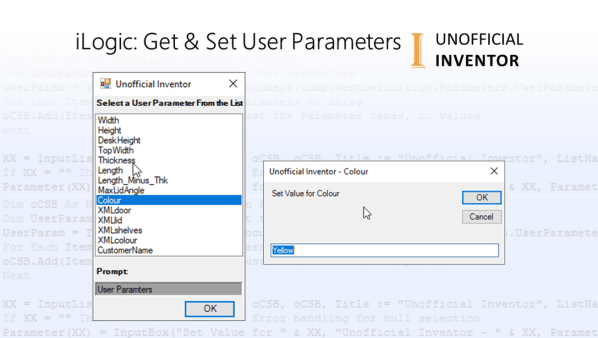
iLogic: Get & Set User Parameters
I saw a forum post in the Inventor Customisation forum and I thought I should share some iLogic code that I use for the getting and setting user parameters. It's pretty simple, but really effective. The code adds all user parameters to an Array, which it then presents to the user in the form of... Continue Reading →
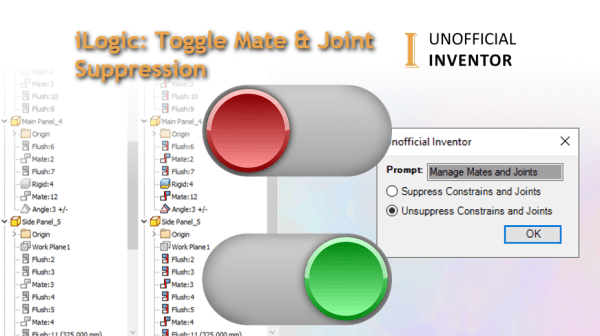
iLogic: Toggle Mate & Joint Suppression
I needed a quick way to suppress and unsuppress mates and joints, or constraints and joints in assembly files, so I wrote a quick utility to do just that. Below is an animated GIF showing the code in action: The iLogic code checks that it is in an assembly file, then presents the user with... Continue Reading →
DXDIAG
DXDIAG is a windows diagnostic tool that gathers your graphics hardware information, it's useful in that is gets the names of all graphics devices, as well as driver versions. This can be particularly helpful for sharing with a tech support technician, when troubleshooting graphics issues. https://youtu.be/eiXk9Dc1Er4
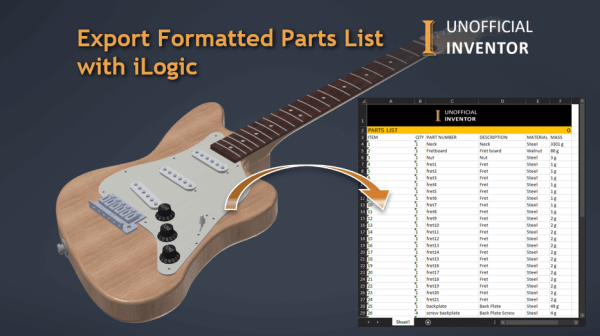
Export Formatted Parts List with iLogic
I was asked if it was possible to format the BoM export from Inventor's assembly environment, similar to the way that parts lists are formatted in drawings. I wrote some code to do this, below is an animated GIF showing the code in action: Click me for High Res version My solution was to build... Continue Reading →
You must be logged in to post a comment.