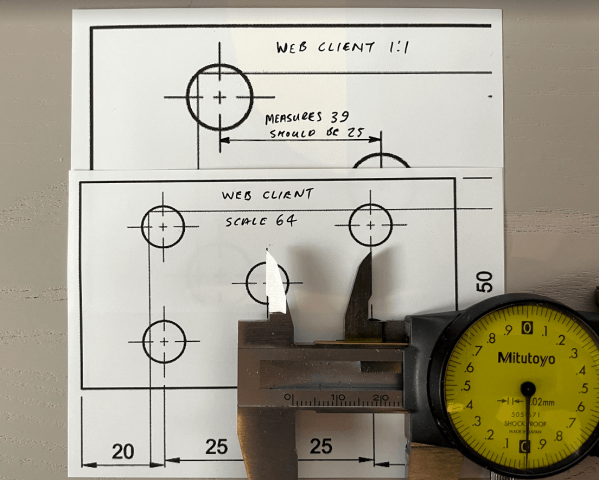
Guest Post by Jelte de Jong Maybe you know the situation, you have 2 versions of a part. You changed something but can’t find what it was. In those situations I spend a lot of time looking for the difference. Just to find the hole that was moved 1mm. Should I have this problem more often,... Continue Reading →
Inventor Quick Tip: Extrude Between (From To)
With the release of Inventor 2020, the Extrude command was moved to the new "Panel Interface", which I love, BUT I got stuck the other day looking for the "Between" option in the extrude command. At the time, I was doing some BETA testing for Inventor 2021, I momentarily thought that this option had been... Continue Reading →
Taming Large Assemblies in 3.5 Mins

There is a ton of really bad advice out there about managing large assemblies. As Inventor users, we need to keep up to date with the latest advice from Autodesk, some of the things that were advisable with earlier release are now obsolete. Save yourself hours of pain, here is some great advice from Autodesk,... Continue Reading →
iLogic Settings: Migrating to Inventor 2021
So you have installed your shiny new version of Autodesk Inventor 2021, and you realised that your iLogic "stuff" has not been migrated over. The settings migration tool is really useful for most settings, but your external rules, external forms and custom code snippets do not come across. Fear not, it's really easy to do,... Continue Reading →
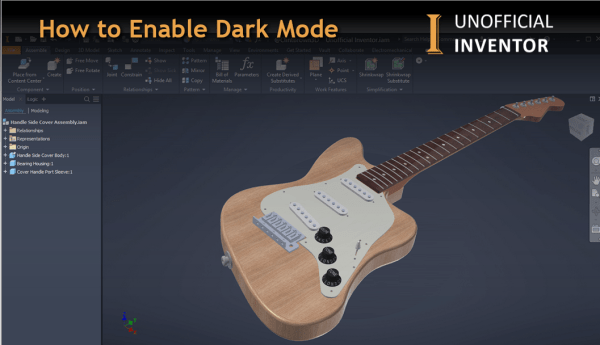
How to Enable Dark Mode – Inventor 2021
With the release of Inventor 2021, "Dark Mode" is now available, and if you've been wondering how to enable it, gere's how! Got to ToolsThen Application OptionsOn the Colors Tab, find the "UI Theme" drop downChoose "Dark"Click Apply Click me for a Higher Resolution Image After a few seconds, Inventor will now show the new... Continue Reading →
What’s new in Inventor 2021
Inventor 2021 is here, check out the videos below to find out about the new features. https://www.youtube.com/watch?v=3NiNcZYV-40 The Inventor 2021 help file contains all of the updates to this release as well as previous releases, check it out here: Experience (Dark Mode): https://www.youtube.com/watch?v=Afi_XBcxm1I Performance Enhancements: https://www.youtube.com/watch?v=yD24sBvWCBg Parts: https://www.youtube.com/watch?v=HHC0bSdCVds AnyCAD improvements - Revit workflows: https://www.youtube.com/watch?v=qRAR4XsG0yI Frame... Continue Reading →
Vault 2021 New Features Overview
Autodesk have released Vault 2021, below is an overview video showing the new features in this exciting new release. https://youtu.be/ZAIoJe-glPE
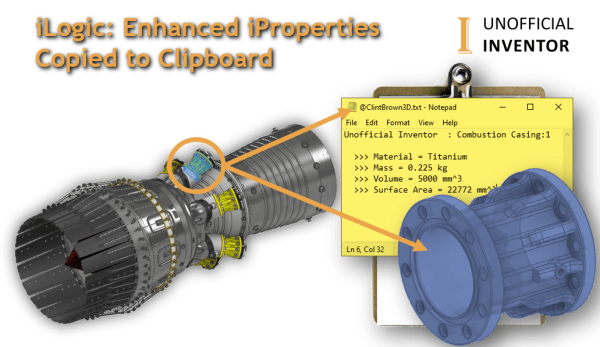
iLogic: Enhanced iProperties Copied to Clipboard
This iLogic utility isolates a pre-selected component and activates the Orbit command, once the user exits the orbit command, a set of iProperties are shown, these iProperties are then copied to the clipboard. The code then zooms back out and sets the model to a "home" view. This blog post's iLogic code was the basis... Continue Reading →
Printing Fusion 360 Drawings from the Web
Printing directly from Fusion 360 is relatively straightforward, check out Option 1 (print Direct). However, you may need some additional options, or you might find yourself using a browser-based version of Fusion.
Autodesk 2020 Design & Manufacturing Show Reel
https://youtu.be/7CJM1EKPtxM Check out the annual showcase of Autodesk design & manufacturing customers. As a global leader in 3D design to manufacturing software, we give you the power to #MakeAnything.
You must be logged in to post a comment.