My Colleague Lee asked me about inspection dimensions and inspection bubbles for 2D drawings in Fusion 360. I put this quick video together to show what's available today. https://youtu.be/Ta_K1S3Swsk Another option for bubbles is to use a font like Numberpile
Fusion 360 weird cursor in drawings
You might be running a PC with an older graphics card. On older NVIDIA graphics cards (generally Kepler), the drivers are no longer being updated by NVIDIA, as they have retired the cards, this makes supporting them a little trickier. I have observed that installing some missing binaries which are usually packaged with the driver,... Continue Reading →
Edge Symbol in Fusion 360
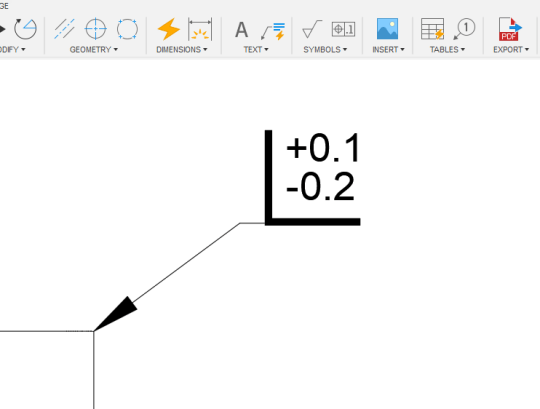
I was recently tagged on a forum post, asking how to add an Edge Symbol to a drawings in Fusion 360. As per ISO 13715 / DIN ISO 13715. Below is my answer, the accompanying video and the text characters that I used: "there is a pretty good workaround using text and a leader. See... Continue Reading →
Fusion 360 Drawings – Last Save Date
I recently replied to a forum post about a "last saved date" for Fusion 360 drawings. While there is no official attribute, there us a text variable that will work, this is what I shared: This is not officially supported, but you can give the "AcVar SaveDate" variable a try. I've listed a few variations... Continue Reading →
Inventor: Project Holes Add-in
Long time friend of the site, Jhoel Forshav has just released his first add-in for Inventor. It creates projected, adaptive holes for components in Inventor assemblies. This means that when the model changes, the holes dynamically update. Check out the link to the FREE app below. https://apps.autodesk.com/INVNTOR/EN/Detail/Index?id=4944556035855697945&appLang=en&os=Win64 https://youtu.be/q0uChGvcIrs
What Does ChatGPT Know About Drawings?
I jumped on the Chat GPT bandwagon and asked it to write me a blog post about some of the features added to Fusion 360 drawings in the last year... Everything from here on is AI generated: Hey there, fellow Fusion 360 users! I'm back with another blog post to share some of the latest... Continue Reading →
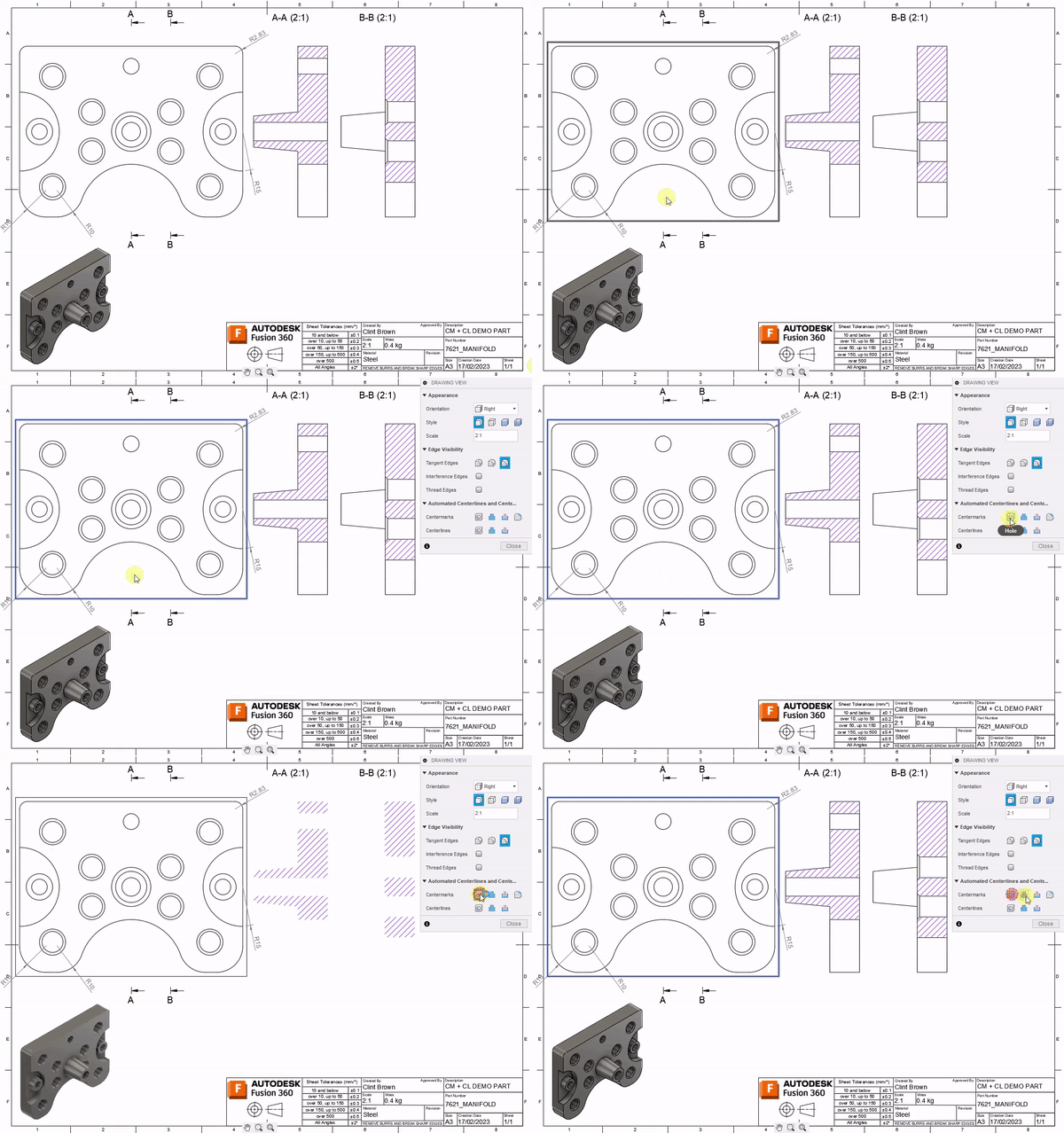
Automatic Center Marks & Center Lines
The April release of #Fusion360 is now live. We've added a Load of great new functionality. In drawings, we added Automatic Center Marks and Center Lines: https://www.autodesk.com/products/fusion-360/blog/april-2023-major-product-update-whats-new/#Drawings3 Check out all the April goodness here:https://www.autodesk.com/products/fusion-360/blog/april-2023-major-product-update-whats-new/
Sheet Metal Hole Tables from STEP
A question was recently asked on the forums about creating hole tables from a flat sheet metal component. The trick, though, is that the component is a STEP file, or comes from other software such as Inventor or SolidWorks. I've previously documented a workflow for non-sheet metal parts here, which is much simpler. With Sheet... Continue Reading →
Discover the Powerful Features Added to Fusion Drawings in The Last Year
Click on the image
November updates – Duplicate Sheet & Advanced Print
We shipped some BIG updates, check out "Duplicate Sheet" & "Advanced Print" on the official Fusion blog here
You must be logged in to post a comment.