Quick Sunday blog on forcing, or setting your Inventor document units, with iLogic. Last week, I spent some time with Autodesk Inventor users, who have had a few issues with imported files, or files supplied by others. This can be anything from the wrong units, to a preference for Grams over Kilograms on Metric files.... Continue Reading →
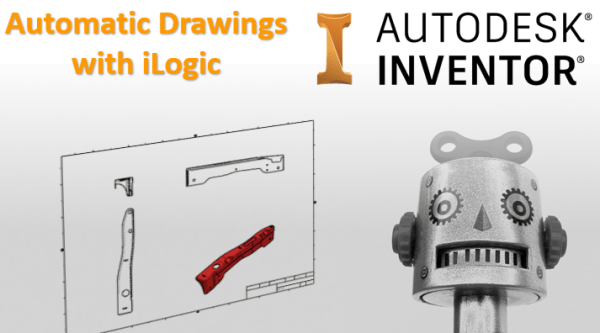
Automatic Drawings with iLogic
I've written some code to automatically create drawings from Autodesk Inventor part and assembly files. The idea that I used for this blog post was to have a drawings template file set up with views, and to then simply replace these views with a given model as needed. The GIF below shows how the code... Continue Reading →
iLogic – Delete all Mates/Joints & Ground
Have you ever wanted to delete all of the constraints in an assembly, and then ground all components? Well look no further, the iLogic code in this blog post does exactly that. You may be wondering why you would want to do this, well the answer is simple. Inventor calculates each relationship between parts (especially... Continue Reading →
Inventor: Search with iLogic
I had a browse through the Inventor API documentation, and came across a sample for using the new "Browser Search" functionality. I converted it to iLogic and made a few tweaks. When used in conjunction with a user parameter and an iLogic form, there is some nice functionality that you can use with Inventor. The... Continue Reading →
Units Matter: Here’s how to set them
In 1996 the inaugural Tri-Nations rugby tournament was played between Australia, New Zealand and South Africa. New Zealand won the trophy that year, but the story behind the massive trophy is rather interesting. According to a 2013 article on stuff.co.nz, the trophy now lives at the Palmerston North Rugby Museum. Taking up the most space... Continue Reading →
Understanding Units in Inventor
In Autodesk Inventor there are 2 main places to look at units, the first is within the file itself, the second is in the settings used for template files. The thing to remember about Inventor, is that units are file specific, there is no global units setting (which is a good thing) Part 1 - Part... Continue Reading →
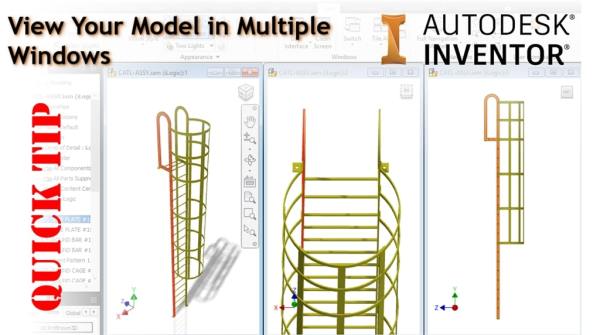
Inventor Quick Tip: View Your Model in Multiple Windows
Did you know that you can display your Inventor model in multiple windows, and multiple positions? It's really simple to do. From the "View" tab in Inventor, simply click on "New", a new window will be created automatically, next, click on "Tile Vertically" for the result above, or choose from one of the options shown... Continue Reading →
Easy Collaboration with Shared Views
One of my favourite new features in Autodesk Inventor 2019 has to be "Shared Views". The ability to share a 3D model with almost anyone on practically any device, makes this really powerful. "Shared Views" add the ability to gather design feedback from teams outside of your organisation, and because it's cloud native, there's no... Continue Reading →
Inventor – Sharing Hole Pre-sets
Autodesk Inventor 2019 introduced a new hole tool interface, and allowed users to create hole pre-sets. Pre-sets save users time when specifying new holes. By default Hole pre-sets are stored locally, this location could be set to a network location, allowing multiple users to access the same pre-sets. Simply save your current hole pre-sets to... Continue Reading →
AU London 2018 Recording is live
My AU London 2018 Class: Need for Speed: 102 Productivity Hacks for Inventor, is now live on the AU portal. See the video of my session below. https://youtu.be/doNSgEpFTXo You can find the other classes here: KEY LEARNING Discover 102 Inventor tips and tricks Setting Application Options Create and run iLogic rules Set up Inventor templates... Continue Reading →
You must be logged in to post a comment.