I had a browse through the Inventor API documentation, and came across a sample for using the new "Browser Search" functionality. I converted it to iLogic and made a few tweaks. When used in conjunction with a user parameter and an iLogic form, there is some nice functionality that you can use with Inventor. The... Continue Reading →
Units Matter: Here’s how to set them
In 1996 the inaugural Tri-Nations rugby tournament was played between Australia, New Zealand and South Africa. New Zealand won the trophy that year, but the story behind the massive trophy is rather interesting. According to a 2013 article on stuff.co.nz, the trophy now lives at the Palmerston North Rugby Museum. Taking up the most space... Continue Reading →
Understanding Units in Inventor
In Autodesk Inventor there are 2 main places to look at units, the first is within the file itself, the second is in the settings used for template files. The thing to remember about Inventor, is that units are file specific, there is no global units setting (which is a good thing) Part 1 - Part... Continue Reading →
Understanding Units in AutoCAD
Setting your Units of Measure in AutoCAD is relatively straightforward. To check the current .dwg file's units, simply type UNITS into your command line, then choose the units of measure that you wish to use. When creating a new drawing in AutoCAD, it is important to start with the correct template. For a Metric (millimetre)... Continue Reading →
Understanding Units in Fusion 360
Setting your Units of Measure in Fusion 360 is really easy. When you first install the software, you will see a pop up in the bottom right hand corner of the screen, asking you to choose your preference for "Default Units" as well as "CAD Experience" To change the units later on, simply go to... Continue Reading →
Inventor Quick Tip: View Your Model in Multiple Windows
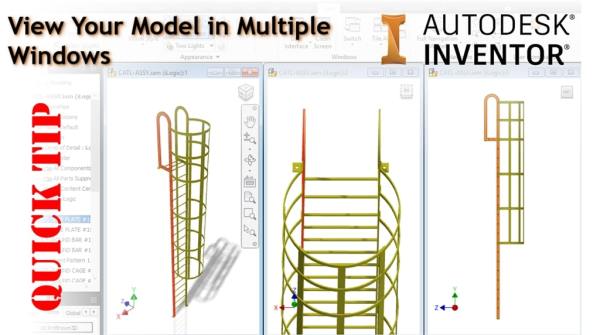
Did you know that you can display your Inventor model in multiple windows, and multiple positions? It's really simple to do. From the "View" tab in Inventor, simply click on "New", a new window will be created automatically, next, click on "Tile Vertically" for the result above, or choose from one of the options shown... Continue Reading →
Generative Design comes to PDMC
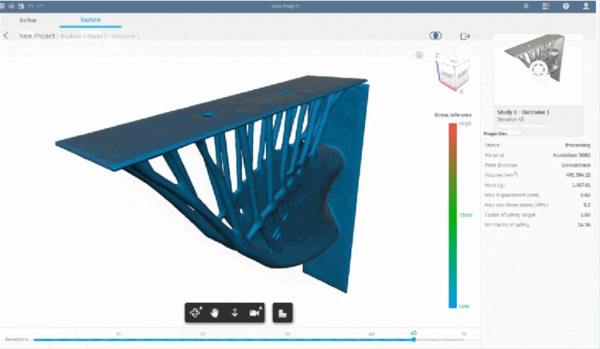
Product Design and Manufacturing Collection subscribers now have access to the Generative Design tools in Fusion 360 Ultimate. Generative Design uses Cloud Credits for processing, these credits would need to be purchased in addition to your PDMC subscription. Check out the tweet below from Fusion 360, follow the link through to all of the details.... Continue Reading →
You must be logged in to post a comment.