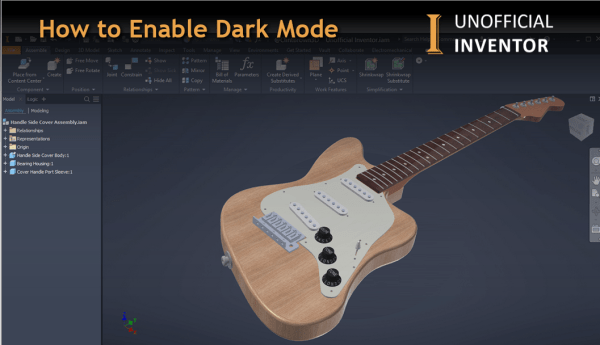
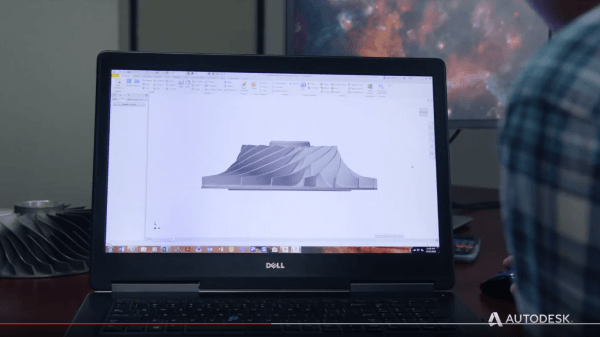
With the release of Inventor 2021, "Dark Mode" is now available, and if you've been wondering how to enable it, gere's how! Got to ToolsThen Application OptionsOn the Colors Tab, find the "UI Theme" drop downChoose "Dark"Click Apply Click me for a Higher Resolution Image After a few seconds, Inventor will now show the new... Continue Reading →
What’s new in Inventor 2021
Inventor 2021 is here, check out the videos below to find out about the new features. https://www.youtube.com/watch?v=3NiNcZYV-40 The Inventor 2021 help file contains all of the updates to this release as well as previous releases, check it out here: Experience (Dark Mode): https://www.youtube.com/watch?v=Afi_XBcxm1I Performance Enhancements: https://www.youtube.com/watch?v=yD24sBvWCBg Parts: https://www.youtube.com/watch?v=HHC0bSdCVds AnyCAD improvements - Revit workflows: https://www.youtube.com/watch?v=qRAR4XsG0yI Frame... Continue Reading →
Vault 2021 New Features Overview
Autodesk have released Vault 2021, below is an overview video showing the new features in this exciting new release. https://youtu.be/ZAIoJe-glPE
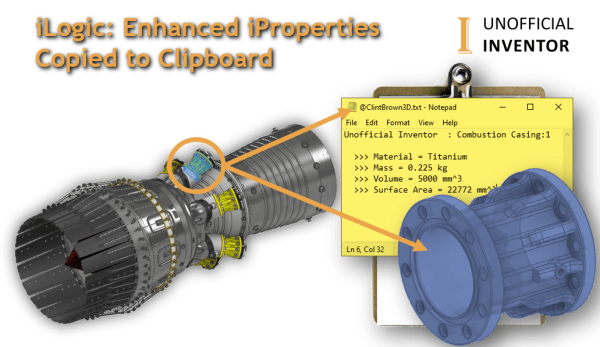
iLogic: Enhanced iProperties Copied to Clipboard
This iLogic utility isolates a pre-selected component and activates the Orbit command, once the user exits the orbit command, a set of iProperties are shown, these iProperties are then copied to the clipboard. The code then zooms back out and sets the model to a "home" view. This blog post's iLogic code was the basis... Continue Reading →
Printing Fusion 360 Drawings from the Web
Printing directly from Fusion 360 is relatively straightforward, check out Option 1 (print Direct). However, you may need some additional options, or you might find yourself using a browser-based version of Fusion.
Autodesk 2020 Design & Manufacturing Show Reel
https://youtu.be/7CJM1EKPtxM Check out the annual showcase of Autodesk design & manufacturing customers. As a global leader in 3D design to manufacturing software, we give you the power to #MakeAnything.
One Rule to Search Them All – Guest Post
Guest Post by Jelte de Jong Over the years, I have created several assemblies containing many parts with various iLogic rules, generally they work perfectly. But sometimes for seemingly no reason, an edge case will not work as expected, and is usually discovered by a colleague. The challenge is that I then need to find... Continue Reading →
iLogic – Running Commands Using the API
You may want to run Inventor commands directly in you iLogic code, without having to find and reference them in the API. This is made possible through the "Command Manager" in the API. The Command Manager lets you run any command that is visible in the Inventor interface (and a few hidden commands as well).... Continue Reading →
8 Ways to Edit iProperties – Guest post
Guest Post by Sarah Manning In this blog post, I'm going to show you 8 ways to access and edit iProperties in Autodesk inventor, I've focused this primarily on parts and assemblies, but the concept is very similar across other file types too. Also check out the section at the end for tips on editing your... Continue Reading →
You must be logged in to post a comment.