You may come across instances where Inventor will not load an add-in or a DLL, this is sometimes manifested in an error message, or a function just not working. When installing Inventor, it should always be done with the UAC turned right down, with the user logged on as an Administrator, and with the anti-virus... Continue Reading →
iLogic Normalise Browser Nodes – With Code
If you've ever copied an Inventor assembly using Vault, or other methods, you may have noticed that your iLogic code no longer works as expected. This is most likely because the file names of the component instances have changed in the browser. In the image below, I have a small assembly (left), it has been... Continue Reading →
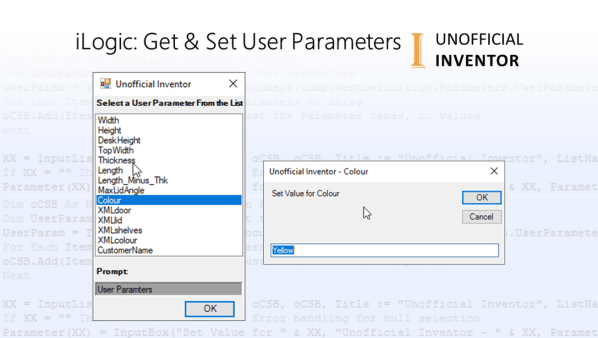
iLogic: Get & Set User Parameters
I saw a forum post in the Inventor Customisation forum and I thought I should share some iLogic code that I use for the getting and setting user parameters. It's pretty simple, but really effective. The code adds all user parameters to an Array, which it then presents to the user in the form of... Continue Reading →
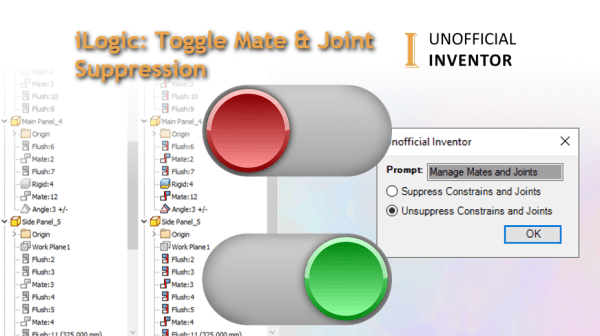
iLogic: Toggle Mate & Joint Suppression
I needed a quick way to suppress and unsuppress mates and joints, or constraints and joints in assembly files, so I wrote a quick utility to do just that. Below is an animated GIF showing the code in action: The iLogic code checks that it is in an assembly file, then presents the user with... Continue Reading →
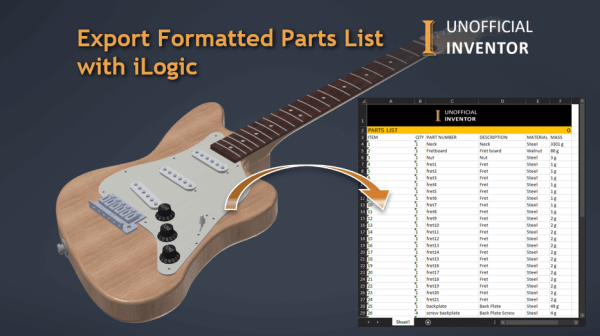
Export Formatted Parts List with iLogic
I was asked if it was possible to format the BoM export from Inventor's assembly environment, similar to the way that parts lists are formatted in drawings. I wrote some code to do this, below is an animated GIF showing the code in action: Click me for High Res version My solution was to build... Continue Reading →
iLogic – Centre & Arrange Dimensions
I've been doing a bit of work on an iLogic configurator and I thought it would be useful to share some code that I have been using for quite some time. Often when creating configured products, the dimensions on the sheet move, and need some tidying up. This iLogic utility centres all of the dimensions... Continue Reading →
Setting Dimension Precision with iLogic
I was recently asked if it is possible to set the precision of the dimensions in a drawing, using iLogic. I did a quick search through the Inventor API and found that there was a sample that provided this functionality. With that in mind, I tidied up the example, and added an array with an... Continue Reading →
iLogic: Using Try – Catch to Open Drawings
I realise that I don't often explain how specific iLogic code works, so I thought I'd offer a bit more of an explanation in this post. I've written a simple iLogic rule that opens the drawing of a model in Inventor. This iLogic utility uses a nested "Try, Catch, End Try" statement. If you are... Continue Reading →
Vault: Display Mass – Client or Web
A client recently asked me if I could help them with a request from an end user. They wanted to see the mass of their part and assembly files in Vault. A secondary requirement was to see this same information in the Vault web client. I figured a simple iLogic rule would suffice. However, a... Continue Reading →
Unofficial & Retro Inventor AutoCAD & Vault Icons
I have many versions of Inventor, AutoCAD and Vault (Clients) installed on my PC. Sometimes I fire up the wrong software and it wastes time A few months back, I saw some custom icons for Autodesk product and this got me thinking... What if I had a specific icon for each release of Inventor, Vault... Continue Reading →
You must be logged in to post a comment.