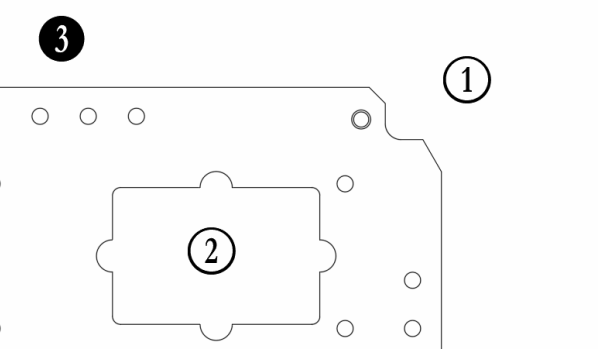
Ever wanted to place a balloon without a leader onto a drawing in Fusion 360? I've recently shared a workaround, and thought I should document it. The trick is to download and install the Numberpile font. It comes in 2 variants, Numberpile & Numberpile Reversed. The "Reversed" version is more traditional (see bubbles 1 &... Continue Reading →
Hole Charts from STEP Files
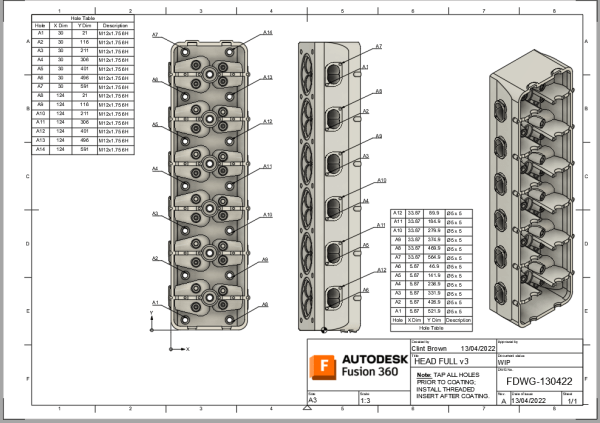
I was asked how to get hole information from a STEP file into a Hole Chart in Fusion 360. As you know, STEP files are a neutral file format that do not contain any features. Fusion 360 has a really neat tool called “Find Features”, which allows you to recognize the features in an imported... Continue Reading →
Hole Charts in Fusion 360 Drawings
In the last update to Fusion, we added hole charts, they're pretty awesome. For all the details, and a handy video, check out the blog post I wrote for the official Fusion 360 blog by clicking on the image below. Click me for more details and a video
September Drawing Enhancements
I recently wrote a blog post for the official Fusion 360 blog, outlining some of the latest features that we added to the last release of Fusion 360. I thought I'd share a video of the new tools in this blog post. The main features that we added in the September release were: Arrange Dimensions... Continue Reading →
Switching Title Blocks
In the drawings environment it is possible to import a title block from another template file (note I said template, not drawing). So you're looking to update your title block, or to swap your title block for a newer one, the good news is that there is a really simple way to do this. You... Continue Reading →
You must be logged in to post a comment.