AutoCAD: Quick Tip – Isolate Layers

  In AutoCAD you can hide all but the selected layer. From "Layer Properties" Right Click on the layer you wish to show,  and select "Isolate selected layers". This will turn off all layers except the layer(s) that you have selected. To turn all of the layers back on, use a "shift select" to select... Continue Reading →

Updates to iLogic in Inventor 2019.1

Support for iLogic Logging and Rule Tracing Inventor 2019.1 update is now live for subscription customers! You should be able to download it from your Autodesk Desktop app. The information in this article is from the official Autodesk Inventor 2019.1 help file. iLogic now provides a type of PRINT statement that can be used in rules.... Continue Reading →

Inventor 2019.1 release is out!

Inventor 2019.1 update is now live for subscription customers! You should be able to download it from your Autodesk Desktop app.The information in this article is from the official Autodesk Inventor 2019.1 help file. Frame Generator Insert The Insert command has two new frame selection enhancements. Previously, the frame Standard always defaulted to ANSI. The... Continue Reading →

AutoCAD Basics: Display Lineweight on Screen

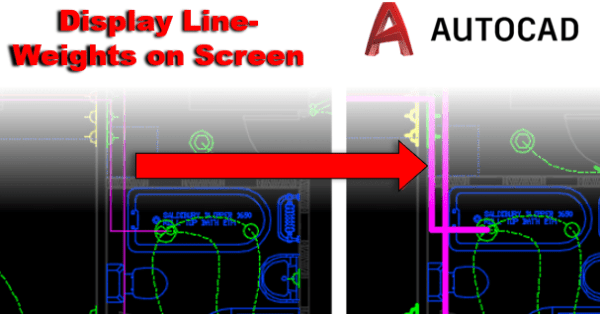
You may wish to display the lineweight thicknesses in your model space within AutoCAD, or you may wish to turn off lineweight thickness in AutoCAD. Simply type LW into your command line. To Turn on lineweights. In the "Lineweight Settings" dialogue box, tick "Display Lineweight" as shown below. With this setting un-ticked the lineweights will not... Continue Reading →

Inventor Quick Tip: Sketch Region Properties

Within the "Sketch" environment in Autodesk Inventor, there is a really handy "Region Properties" tool which calculates properties of selected sketch regions. The calculations performed are; Area, Perimeter, Centroid, Inertia Tensor, Polar Moment of Inertia, Area Moments of Inertia and Radii of Gyration. To access "Region Properties", you must have a sketch active (i.e. you need to be editing... Continue Reading →

Create a website or blog at WordPress.com

Up ↑