I've been asked how to create a "Relative View" in Fusion 360 by users transitioning from SolidWorks. The good news, is that it's very simple in Fusion 360, simply use a "Named View", the video below explains exactly what you need to do, enjoy! https://youtu.be/N2pXkChd3NY
Fusion 360: Quick Tip – View Alignment
Breaking or restoring the alignment of projected or section views is effortless in Fusion 360. Simply hit the Shift key while dragging a view to break or restore alignment, it's that easy! Here's a quick video showing Alignment in action: https://youtu.be/SLePaq1HAF4
Fusion 360 Calibrating 1:1 Prints
With the release of Advanced Print controls in November 2022, printing to scale in Fusion 360 is now a lot easier. The new print dialogue pulls the list of available printers from your operating system, and the paper sizes come from your printer. Scale can be specified using a ratio, e.g. 1:1, a fraction example... Continue Reading →
Smart Template – “All Level” Drawings
With the April 2021 release of Fusion 360, the drawings team have introduced support for the creation of "All Level" drawings using smart templates. If you already have smart templates set up, you can use them as before, and benefit from the new functionality. When creating a new drawing (using a smart template), you can... Continue Reading →
Quick Tip – Smart Templates
Drawing automation in Fusion 360 is really easy, thanks to "Smart Templates". "Smart Templates" are essentially drawing templates with placholders for drawing views and tables. The good news, is that you can use your existing drawing templates and add in placeholders as needed. "Smart Templates" are extremely simple to set up and use. I've created... Continue Reading →
Quick Tip – Creating & Reusing DWG Title Blocks
This post shows a workflow that will let you export your favorite Title Block from Fusion 360 to DWG, for re-use in existing drawings, or to import into a new template file. If you've ever wanted to change the Title Block in your drawing to match a newer design, this tip could work for you.... Continue Reading →
Fusion 360 – Marching on!
The March update to Fusion 360 is something not to be missed. This update is HUGE! So what's the big deal? Well, for starters the team has included a bunch of productivity updates as well as introducing brand new Assembly Concurrency workflows, and a new Nesting & Fabrication Extension. For more details including workflow videos,... Continue Reading →
25 iLogic Routines to Speed Up Drawing Creation
Creating engineering drawings can sometimes seem tedious, but drawings are one of the most important parts of any design. In fact, your drawing is the contract with the manufacturer, an agreement that contains all the specifications and key dimensions that your product will be manufactured to. Why not automate workflows, making drawings easier and faster... Continue Reading →
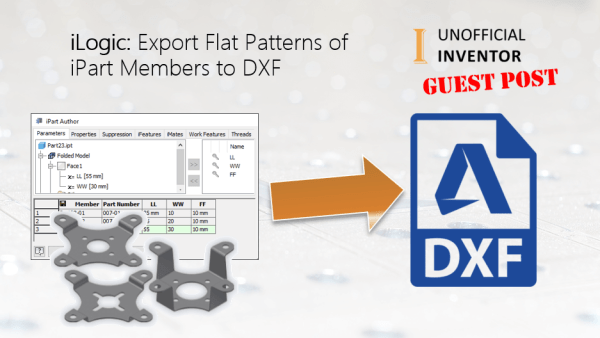
iLogic: Export Flat Patterns of iPart Members to DXF
By Bhavik Suthar I have written an iLogic utility to export the flat patterns of all the members of an iPart to DXF. The code automates the process of creating DXF flat patterns, saving the DXF with the instance member name as the file name in the same location as the original iPart. Here is... Continue Reading →
You must be logged in to post a comment.