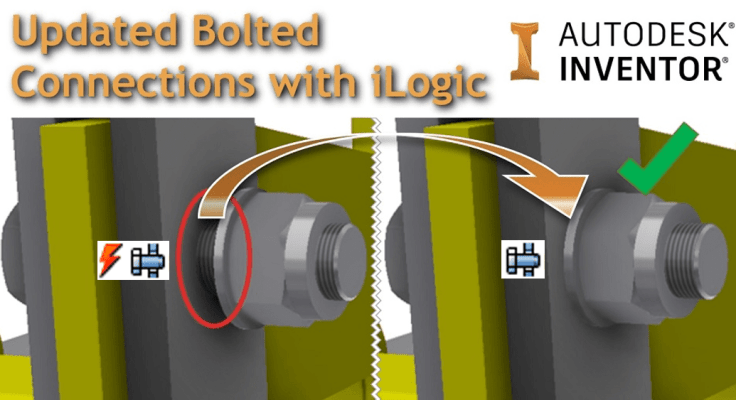
Bolted Connections created in Inventor can become out of date when changes to a part in an assembly happen (for example a material thickness change).
I’ve adapted a bit of iLogic code shared on a forum by Rossano Praderi. My version of the code iterates through the assembly, identifies bolted connections, and sets them to Automatic Solve. This will update all bolted connections that are out of date. Once this is complete, the code then iterates back through the assembly and sets all of the bolted connections back to Manual Solve.
Below is an animated GIF showing how the code updates the model.

Below is a quick overview of the 3 most common statuses that a bolted connection will display in Inventor.
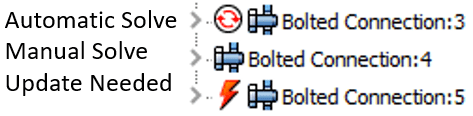
Automatic Solve: Automatically updates with any model change (not set by default, makes your model run slower). To set Automatic Solve Right Click > Component > Automatic Solve
Manual Solve: This is the default setting for bolted connections
Update Needed: The Bolted Connection is out of date. To update a bolted connection in this state, either edit it, or set it to Automatic Solve. Always remember to set your bolted connections back to Manual.
Here is the iLogic Code:
'This version of the code by Clint Brown, originally posted at https://clintbrown.co.uk/iLogicBolts
'Acknowlegments: Rossano Praderi posted see his post in the forum below
'https://forums.autodesk.com/t5/inventor-customization/bolt-size-with-ilogic/td-p/6232695

On Error Resume Next
Dim oAss As AssemblyDocument = ThisApplication.ActiveEditDocument
Dim bp As BrowserPane = ThisApplication.ActiveDocument.BrowserPanes.ActivePane
Dim node As BrowserNode

For Each node In bp.TopNode.BrowserNodes
    If InStr(1, UCase(node.BrowserNodeDefinition.Label), "BOLTED") > 0 Then
        oAss.SelectSet.Select(node.NativeObject)
       Call ThisApplication.CommandManager.ControlDefinitions.Item("FDSolveAuto").Execute
	   ThisApplication.StatusBarText = "Success: Bolted Connections updated"
    End If
Next
ThisApplication.StatusBarText = "Bolts updated, system will now set them back to Manual Solve"

For Each node In bp.TopNode.BrowserNodes
    If InStr(1, UCase(node.BrowserNodeDefinition.Label), "BOLTED") > 0 Then
        oAss.SelectSet.Select(node.NativeObject)
Call ThisApplication.CommandManager.ControlDefinitions.Item("FDSolveManual").Execute
ThisApplication.StatusBarText = "Success: Bolted Connections updated"
End If
Next

ThisApplication.StatusBarText = "Your Bolted Connections have all been Updated"
 Clint Brown
You must be logged in to post a comment.