If you’ve ever wanted to change between stacked or horizontal fractions when typing text in Fusion, this tip is for you.
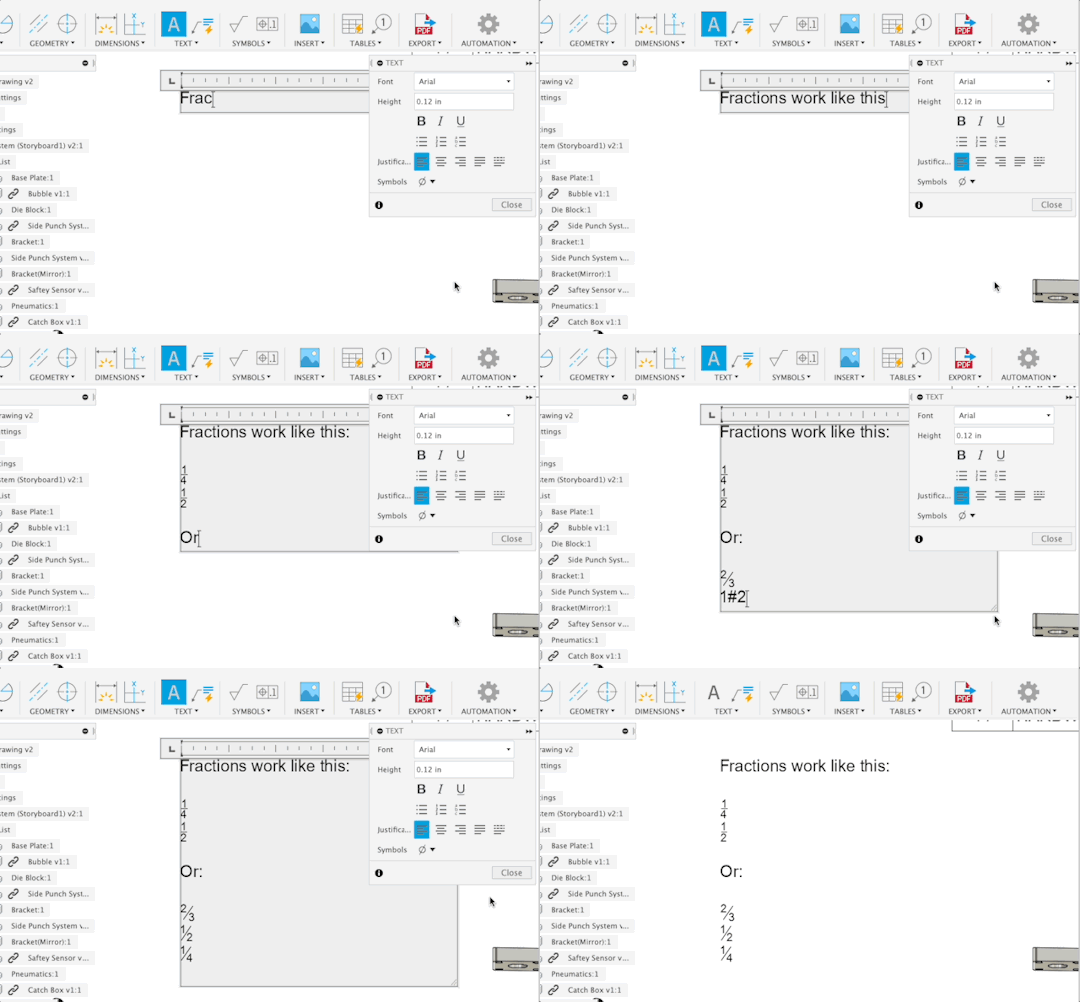
When creating text on a drawing, out of the box fusion will create stacked or horizontal fractions. But using a hash instead of a forward slash will give a diagonal fraction, as shown in the animated GIF below:
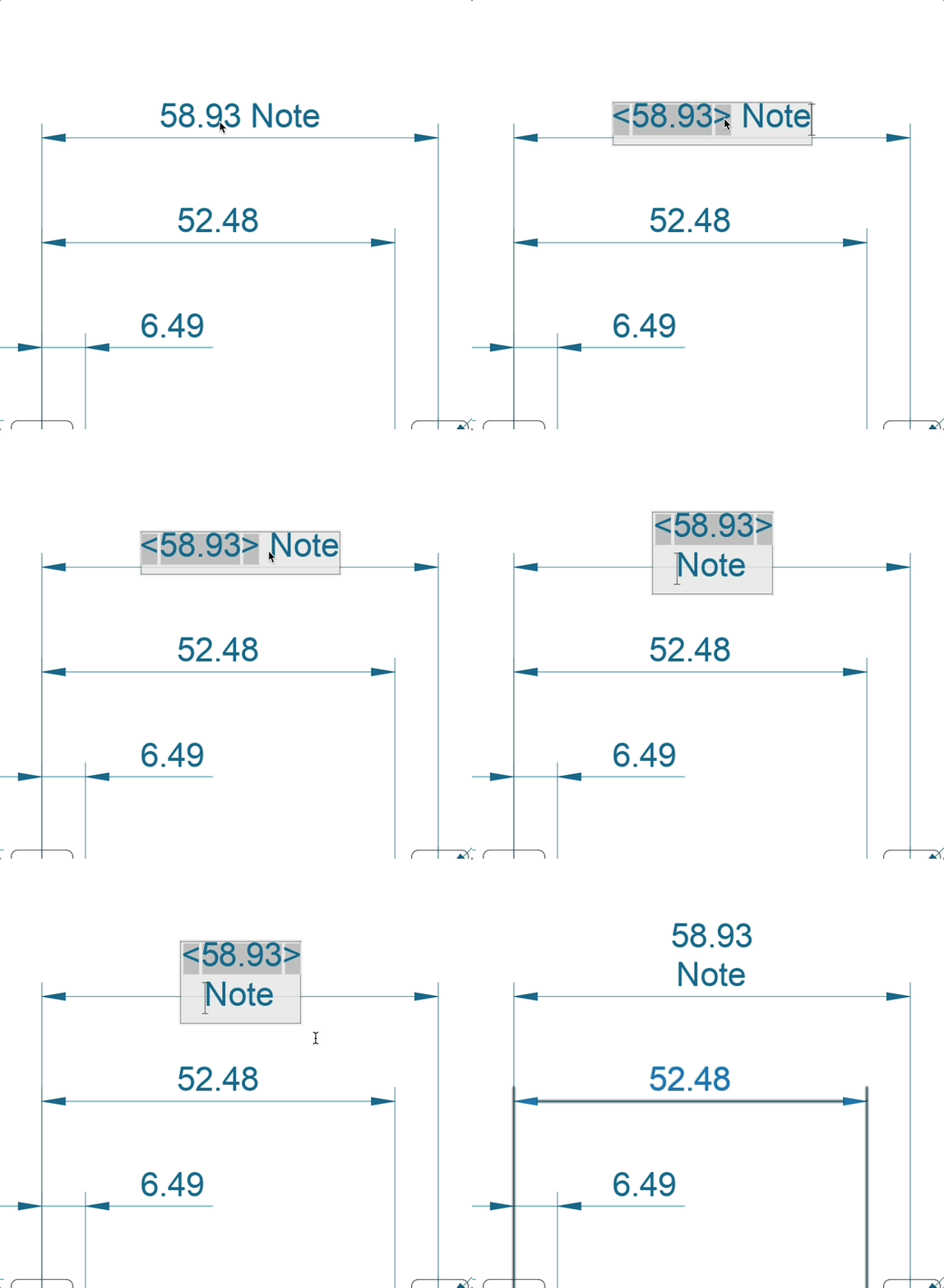
To add notes below a dimension, use “SHIFT” + “ENTER”, this will put the “Note” shown below on a new line.
 Clint Brown
You must be logged in to post a comment.