
A while back, I wrote a little utility to clear part file appearance overrides. I have since updated the code and thought it was worth sharing again on the blog.
The original code ran through the model and cleared overrides as expected, but needed an “Undo Wrapper” to help with undoing the command in the event of a mistake by the user (I included this as the bottom of the original), some time after writing that post, I did some work with hacking the Inventor progress bar for iLogic. The new code now includes all 3 of these elements, and is a nice practical example of how the Inventor progress bar can be incorporated into an iLogic utility that is run in a part file.
The animated GIF below shows the code in action:
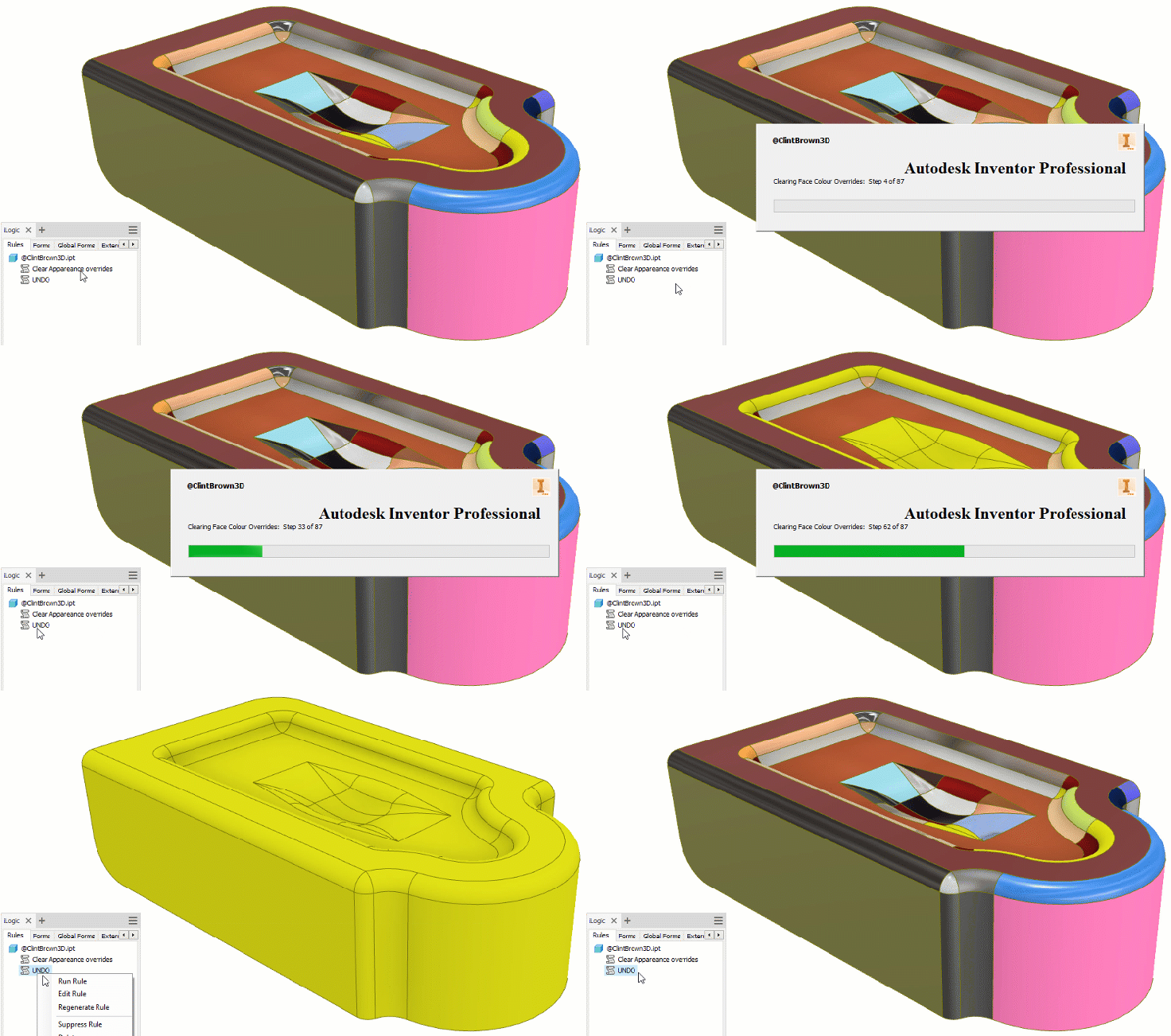
Here is the iLogic code:
'Original Code by @ClintBrown3D posted at https://clintbrown.co.uk/clear-part-appearance-overrides-updated
On Error GoTo Clint
'Exit if this is not a part file
If ThisDoc.ModelDocument.DocumentType = kAssemblyDocumentObject Then : Return : End If
If ThisDoc.ModelDocument.DocumentType = kDrawingDocumentObject Then : Return : End If

Dim oPartDoc As PartDocument
oPartDoc = ThisApplication.ActiveDocument
Dim oCompDef As ComponentDefinition
oCompDef = oPartDoc.ComponentDefinition

Surfaces = 0 'Count Surfaces for the Progress Bar
Dim oFaces As Faces
Dim oFace As Face
Dim oSurfBodies As SurfaceBodies
Dim oSurfBody As SurfaceBody
oSurfBodies = oCompDef.SurfaceBodies
For Each oSurfBody In oSurfBodies
	oFaces = oSurfBody.Faces
	For Each oFace In oFaces
		Surfaces = Surfaces + 1
	Next
Next

Dim oProgressBar As Inventor.ProgressBar 'Create a new Progress Bar
oProgressSteps = Surfaces
oProgressStep = 0
oProgressStaticText = "Clearing Face Colour Overrides:  Step "
oProgressBar = ThisApplication.CreateProgressBar(False, oProgressSteps, "@ClintBrown3D")'Big Progress Bar, use True for small
oProgressBar.Message = (oProgressStaticText & oProgressStep & " of " & oProgressSteps)
oProgressBar.UpdateProgress

oDoc = ThisDoc.Document ' UNDO WRAPPER
Dim UNDO As Transaction
UNDO = ThisApplication.TransactionManager.StartTransaction(oDoc, "Clear Appearance overrides")

oPartDoc = ThisApplication.ActiveDocument
oCompDef = oPartDoc.ComponentDefinition
oSurfBodies = oCompDef.SurfaceBodies
For Each oSurfBody In oSurfBodies
	oFaces = oSurfBody.Faces
	For Each oFace In oFaces
		oFace.SetRenderStyle(kPartRenderStyle)
		oProgressStep = oProgressStep + 1
		oProgressBar.Message = (oProgressStaticText & oProgressStep & " of " & oProgressSteps)
		oProgressBar.UpdateProgress
	Next
Next
UNDO.End 'End Transaction UNDO WRAPPER
oProgressBar.Close

Return
Clint :
MessageBox.Show("Something has gone terribly wrong!", "@ClintBrown3D", MessageBoxButtons.OK, MessageBoxIcon.Asterisk, MessageBoxDefaultButton.Button1)
And just for fun, here is some code to apply a random colour to each face of a part file, this is based on the code above, as well as the code I wrote for the blog post “Set Random Face Colours With iLogic”. As with the code above, I have included the “Undo Wrapper” and the Inventor progress bar to show it in action.
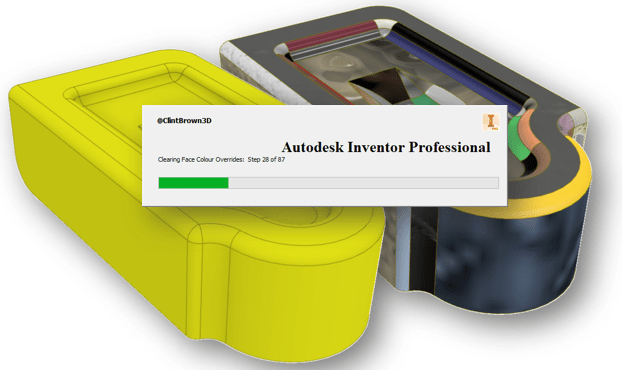
'Original Code by @ClintBrown3D posted at https://clintbrown.co.uk/ilogic-reset-faces
On Error Resume Next
'Exit if this is not a part file
If ThisDoc.ModelDocument.DocumentType = kAssemblyDocumentObject Then : Return : End If
If ThisDoc.ModelDocument.DocumentType = kDrawingDocumentObject Then : Return : End If

Dim oPartDoc As PartDocument
oPartDoc = ThisApplication.ActiveDocument
Dim oCompDef As ComponentDefinition
oCompDef = oPartDoc.ComponentDefinition

Surfaces = 0 'Count Surfaces for the Progress Bar
Dim oFaces As Faces
Dim oFace As Face
Dim oSurfBodies As SurfaceBodies
Dim oSurfBody As SurfaceBody
oSurfBodies = oCompDef.SurfaceBodies
For Each oSurfBody In oSurfBodies
	oFaces = oSurfBody.Faces
	For Each oFace In oFaces
		Surfaces = Surfaces + 1
	Next
Next

Dim oProgressBar As Inventor.ProgressBar 'Create a new Progress Bar
oProgressSteps = Surfaces
oProgressStep = 0
oProgressStaticText = "Setting Face Colour Overrides:  Step "
oProgressBar = ThisApplication.CreateProgressBar(False, oProgressSteps, "@ClintBrown3D")'Big Progress Bar, use True for small
oProgressBar.Message = (oProgressStaticText & oProgressStep & " of " & oProgressSteps)
oProgressBar.UpdateProgress

oDoc = ThisDoc.Document ' UNDO WRAPPER
Dim UNDO As Transaction
UNDO = ThisApplication.TransactionManager.StartTransaction(oDoc, "Clear Appearance overrides")

oPartDoc = ThisApplication.ActiveDocument
oCompDef = oPartDoc.ComponentDefinition
oSurfBodies = oCompDef.SurfaceBodies
For Each oSurfBody In oSurfBodies
	oFaces = oSurfBody.Faces
	For Each oFace In oFaces
		RANDOMISER = Round(Rnd * 750)
		oStyle = oDoc.RenderStyles.Item(RANDOMISER)
		oFace.SetRenderStyle(kOverrideRenderStyle, oStyle)
		oProgressStep = oProgressStep + 1
		oProgressBar.Message = (oProgressStaticText & oProgressStep & " of " & oProgressSteps)
		oProgressBar.UpdateProgress
	Next
Next
UNDO.End 'End Transaction UNDO WRAPPER
oProgressBar.Close

Return
 Clint Brown
You must be logged in to post a comment.