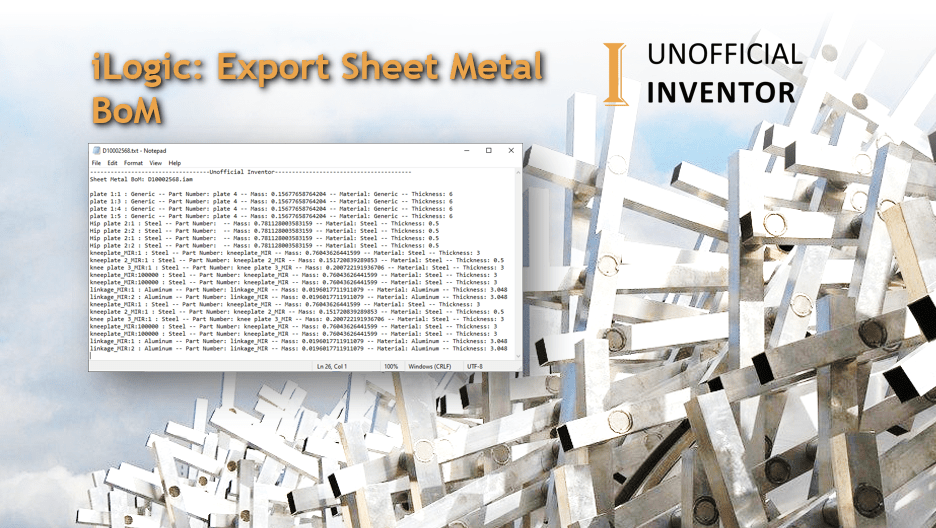
Autodesk Inventor has an Excellent Bill of Materials (BoM) interface which allows user to create and Export BoM’s from the assembly environment.
However, if you have an Assembly model that has a mix of normal and sheet metal components, there is no way to distinguish between the 2 part types in the BoM environment.
I’ve written a little iLogic Utility that exports a sheet metal parts list or BoM, this version is pretty simplistic, in that it just lists off each part, it does not specify a quantity, so if there are 3 of the same part required, they will be listed 3 times, and will be listed in the order in which they appear in the assembly.
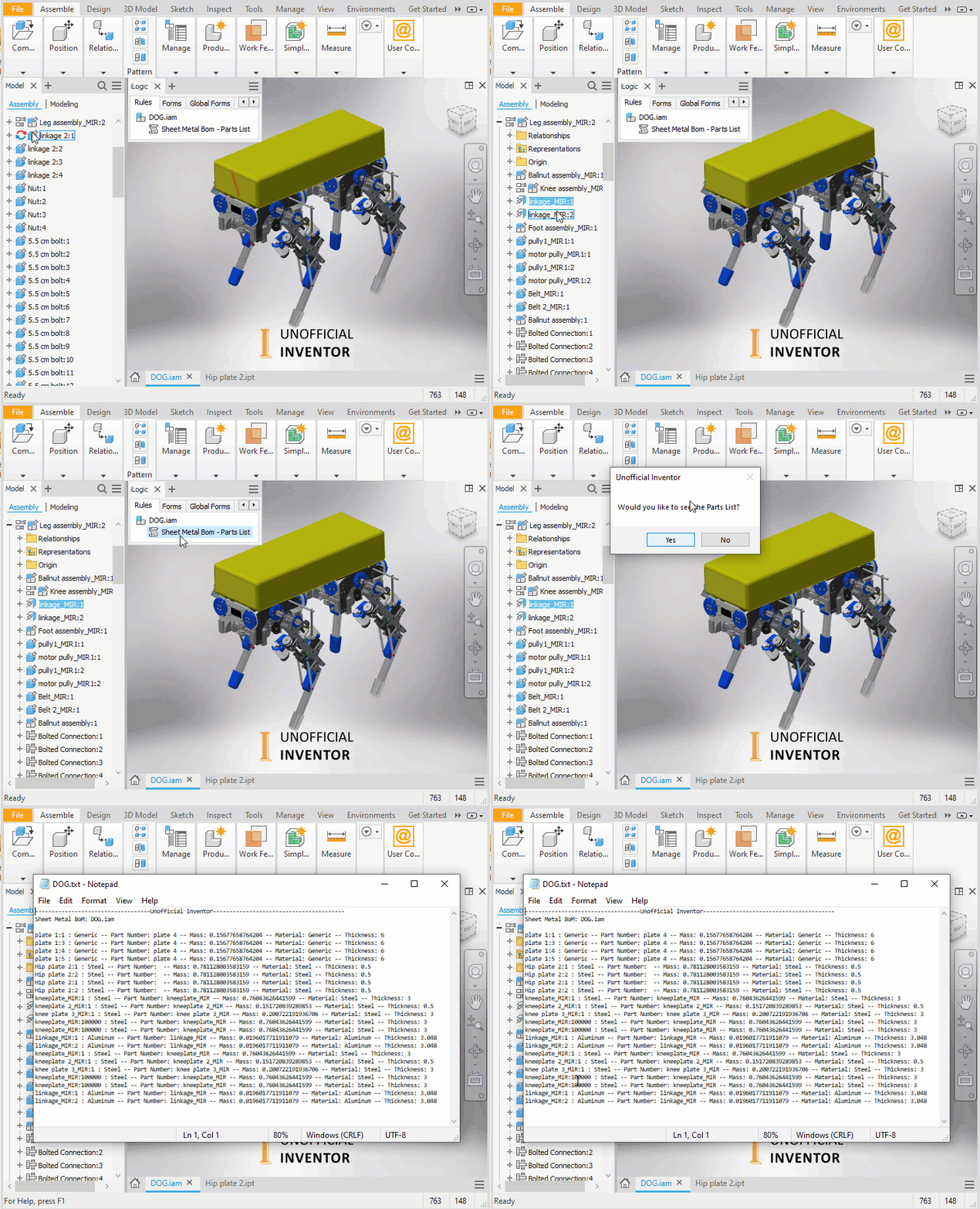
The iLogic utility works it’s way through an Assembly file (including sub assemblies) exporting the name as well as some iProperties of every sheet metal part to a text file.
The Animated GIF below shows it in action:
Here’s the iLogic code:
'iLogic code by Clint Brown @ClintBrown3D
'originally posted at https://clintbrown.co.uk/ilogic:-export-sheet-metal-bom

Dim doc = ThisDoc.Document : If doc.DocumentType = kAssemblyDocumentObject Then
Else : Return : End If

'Create Txt BoM
oWrite = IO.File.CreateText(ThisDoc.PathAndFileName(False) & ".txt")
oWrite.WriteLine("-----------------------------------Unofficial Inventor----------------------------------------")
oWrite.WriteLine("Sheet Metal BoM: " & ThisDoc.FileName(True))
oWrite.WriteLine("")
oWrite.Close()

SheetMetalCheckGUID = "{9C464203-9BAE-11D3-8BAD-0060B0CE6BB4}" ' This is the Sheet Metal unique identifier
'Iterate through the Assembly to find Sheet Metal parts
Dim oAssyDoc As AssemblyDocument
Dim oCompOccEnum As ComponentOccurrencesEnumerator
Dim oCompOcc As ComponentOccurrence
oAssyDoc = ThisApplication.ActiveDocument
oCompOccEnum = oAssyDoc.ComponentDefinition.Occurrences.AllReferencedOccurrences(oAssyDoc.ComponentDefinition)

For Each oCompOcc In oCompOccEnum
	If oCompOcc.Definition.Document.SubType = SheetMetalCheckGUID Then 'Check for Sheet Metal parts

		Try
			'Set up properties to write to the BoM
			o1 = oCompOcc.Name & " : " & iProperties.MaterialOfComponent(oCompOcc.Name)
			o2 = " -- Part Number: " & iProperties.Value(oCompOcc.Name, "Project", "Part Number")
			o3 = " -- Mass: " & iProperties.MassOfComponent(oCompOcc.Name)
			o4 = " -- Material: " & iProperties.MaterialOfComponent(oCompOcc.Name)
			o5 = " -- Thickness: " & Parameter(oCompOcc.Name, "Thickness")
			oInfo = o1 & o2 & o3 & o4 & o5

			Dim oAppend As System.IO.StreamWriter 'Update Txt BoM
			oAppend = IO.File.AppendText(ThisDoc.PathAndFileName(False) & ".txt")
			oAppend.WriteLine(oInfo)
			oAppend.Flush()
			oAppend.Close()
		Catch
			MessageBox.Show("Oh Snap!", "@ClintBrown3D")
		End Try
	End If

Next

ThisApplication.StatusBarText = "Unoffical Inventor - Sheet Metal BoM Export Successful"
i = MessageBox.Show("Would you like to see the Parts List?", "Unofficial Inventor", MessageBoxButtons.YesNo)
If i = vbYes Then : GoTo ClintBrown1 : Else : GoTo ClintBrown2 : End If
ClintBrown1 : ThisDoc.Launch(ThisDoc.PathAndFileName(False) & ".txt")
ClintBrown2 : Return
 Clint Brown
You must be logged in to post a comment.